
How to organize extension cords and cables comes down to two things: stop the tangle cycle, and make it easy to grab the right cord without thinking. If your “cable drawer” feels like a punishment every time you open it, you’re not alone.
Messy cords waste time, but they also create real friction in daily life, you avoid charging where you want to charge, you leave power strips in odd places, and you buy duplicates because you can’t find what you already own. The good news is you don’t need a Pinterest-perfect setup, you need a repeatable system.
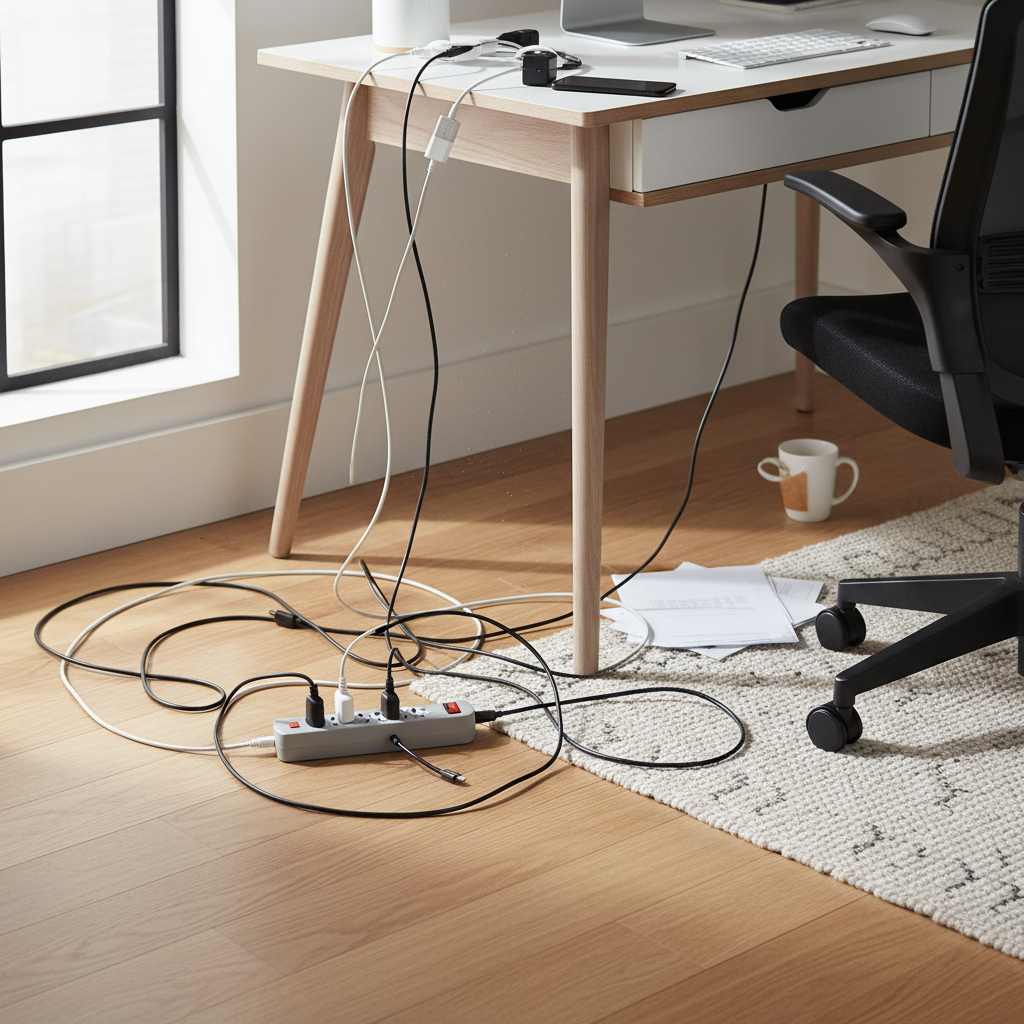
Below is a practical approach that works in most homes and apartments, sort what you have, decide what deserves “daily access,” then store the rest in a way that stays organized even when you’re in a hurry. I’ll also flag a few safety notes, because some common “hacks” can backfire.
Why cords get out of control (and why most “quick fixes” fail)
Clutter usually isn’t a storage problem, it’s a decision problem. Cords pile up when they have no clear “home,” or when the home is annoying to use.
- Too many categories in your head: “phone chargers,” “random cables,” “travel cords” all blur together, so everything ends up in one bin.
- No visibility: when you can’t see what you own, you repurchase, and the pile doubles.
- Mixed use cases: daily charging, occasional projects, holiday lights, and emergency backup cords shouldn’t live the same way.
- Bad wrapping habits: tight coils, knots, or rubber bands create tangles and can stress cable jackets over time.
What usually fails is “shoving everything into a bigger box.” It looks better for a week, then the first rushed morning ruins it.
Quick self-check: what kind of cord mess do you have?
Before you buy organizers, take 3 minutes and identify your situation. This decides the simplest setup that will actually stick.
- Drawer monster: everything is technically “put away,” but you dread opening the drawer.
- Floor sprawl: power strips and extension cords migrate and stay visible, often around a couch, bed, or desk.
- Tech hobby pile: you have specialty cables, adapters, or old device chargers you might still need.
- Family mix-up: multiple people share chargers, nobody labels anything, arguments happen.
If you’re mostly “floor sprawl,” prioritize safe routing and fewer extension cords. If you’re “drawer monster,” prioritize labeling and visibility.
The core method: Sort, reduce, then give every cord a job
This is the part that makes how to organize extension cords and cables feel easy instead of endless. You’re aiming for three buckets: keep for daily use, keep for occasional use, and remove.
Step 1: Pull everything into one pile (yes, all of it)
Don’t do this half-way, you’ll miss duplicates and keep the confusion alive. Put the pile on a table or clear floor area, then sort by type.
- Charging cables (USB-C, Lightning, Micro-USB)
- Power (extension cords, power strips, adapters)
- Data/AV (HDMI, Ethernet, audio)
- Device-specific (printer cable, monitor brick, obscure chargers)
Step 2: Reduce duplicates and retire the questionable stuff
Be a little ruthless here. Keep what you use, keep one spare if you know you need it, and let the rest go.
- Duplicates: if you have five similar 6-foot USB-C cables, most households won’t use all five.
- Damaged cords: frayed jackets, loose plugs, bent prongs, or heat marks should be replaced, not stored.
- Unknown “mystery chargers”: if you can’t identify it in 30 seconds, label it as unknown and quarantine it, don’t dump it back into the main stash.
According to UL (Underwriters Laboratories), damaged electrical cords can present shock or fire hazards, so if you’re unsure about a cord’s condition, it’s safer to stop using it and consult a qualified professional or replace it.
Storage options that stay organized (choose one per category)
The trick is matching storage to frequency. Daily-use cords should be grab-and-go. Occasional cords can be stored more compactly, as long as they’re labeled.
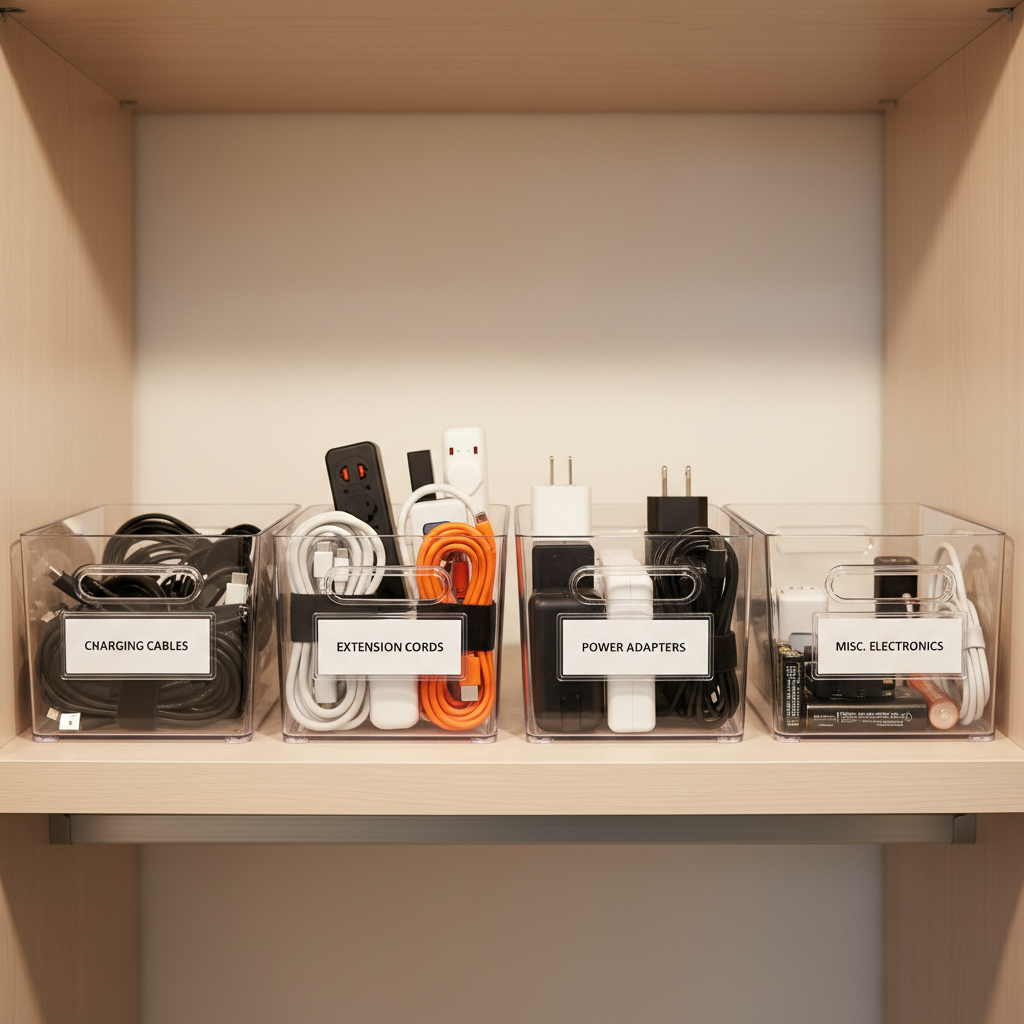
Charging cables (daily)
- One charging station: a small tray or box near an outlet, with 2–4 cables you actually use.
- Short label tags: “USB-C 6ft,” “iPhone,” “Car,” so you stop guessing.
- Velcro ties: faster than twist ties, reusable, less cable damage risk.
Extension cords and power strips (occasional + seasonal)
- Over-under wrap: reduces kinks and makes cords unspool cleanly; it’s worth learning.
- Hang, don’t stack: hooks or a pegboard in a closet/garage keeps them visible.
- Dedicated bin for seasonal use: holiday lights and outdoor-rated extension cords together, labeled.
Specialty cables and adapters (rare)
- Small parts case: compartments for adapters (USB-A to USB-C, HDMI adapters, etc.).
- One “tech archive” box: if you truly need legacy cables, keep them isolated from daily stuff.
A simple table: what to use, where to store, how to label
If you want a fast decision guide, use this. It’s not fancy, it’s functional.
| Item type | Best storage | Labeling tip | Common mistake |
|---|---|---|---|
| Phone charging cables | Small tray/box near outlet | Device + length (e.g., “USB-C 3ft”) | Storing 10 cables “just in case” |
| Extension cords | Wall hook or pegboard | Length + rating (indoor/outdoor) | Tight wrapping that causes kinks |
| Power strips | Bin with dividers | Outlet count + special features | Leaving them loose on the floor |
| HDMI/Ethernet | Zip pouch or file-style bin | Type + length | Mixing with chargers, then losing them |
| Adapters/dongles | Compartment case | Use-case (e.g., “USB-C to HDMI”) | Throwing into a drawer ungrouped |
How to set up a “no-tangle” routine in 20 minutes
Once storage exists, the next problem is keeping it intact when life gets busy. This is the lightest routine I’ve seen work for most people.
- Make a return rule: every cord goes back with a tie on it, even if it’s a quick wrap.
- Keep one empty spot: one small “inbox” cup for today’s cables, then reset it weekly.
- Label as you touch: don’t plan a labeling weekend, keep a marker or label maker where you store cords.
- Stop the duplicate creep: when you buy a new cable, retire or relocate an old one immediately.
It sounds small, but this is what prevents your system from collapsing back into a pile.
Safety and common mistakes (especially with extension cords)
Organizing isn’t just aesthetics. Power management can become a safety issue if cords are damaged, overloaded, or routed poorly.

- Don’t run cords under rugs: friction and heat buildup can be a risk, and you also create a trip hazard.
- Avoid daisy-chaining power strips: connecting power strips to power strips can overload circuits in some setups.
- Use the right cord rating: indoor vs outdoor matters, and heavier loads may require thicker-gauge cords.
- Keep coils loose when in use: tightly coiled extension cords can trap heat under certain loads.
According to the U.S. Consumer Product Safety Commission (CPSC), electrical products and improper use can contribute to household hazards; if you’re unsure about your setup, a licensed electrician can help you assess load and placement for your home.
Key takeaways (so you can actually start today)
- Separate daily-use charging from occasional cords, they need different storage.
- Visibility beats volume, clear bins, hooks, and labels reduce duplicate buying.
- Use Velcro ties and better wrapping, less tangle, less cable stress.
- Build a tiny routine, an “inbox” and a weekly reset keeps things from sliding back.
If you do only one thing after reading this, pick a single spot for daily charging and limit it to the few cables you truly use. That alone changes how your home feels.
When you’re ready, do the bigger sweep, sort, reduce, then store by frequency. That’s the cleanest path to how to organize extension cords and cables without turning it into a weekend-long project.
FAQ
How do I organize extension cords and charging cables in a small apartment?
Keep daily charging in one compact station, then store occasional cords vertically in a labeled bin on a closet shelf. Hanging extension cords on a couple of hooks saves surprising space.
What’s the easiest way to stop cables from tangling in a drawer?
Use Velcro ties and separate by type with small pouches or divider boxes. The drawer stays usable when each cable has its own “lane,” not when everything shares one open space.
Should I keep old chargers and random cables “just in case”?
Sometimes, especially for older printers or specialty devices, but quarantine them in a separate “tech archive” box. If a cord hasn’t been used in a year, many households won’t miss it.
How do I label cords without making them look messy?
Small wrap-around labels near one end work well, or use a short piece of masking tape with a clean handwritten note. Keep the label consistent: device/type + length is usually enough.
Is it safe to coil an extension cord for storage?
For storage, coiling is typically fine if the cord isn’t damaged and you avoid tight bends. For active use with higher loads, leaving the cord tightly coiled can trap heat in some situations, so it’s safer to uncoil and consult a professional if you’re uncertain.
What’s a good way to organize cables for travel?
A single zip pouch with only the travel essentials works better than bringing your whole drawer. Include one backup cable, a compact charger, and any adapter you reliably need.
How often should I declutter my cable collection?
A light check every 3–6 months is usually plenty, especially if you tend to buy new chargers. The fastest method is to remove anything damaged and relocate duplicates right away.
How can I organize extension cords and cables for a garage or workshop?
Wall hooks or a pegboard keeps cords visible and off the floor, and you can label by length and rating. In dusty spaces, closed bins for smaller cables prevent grime and save time later.
If you’re currently buying replacement chargers because you can’t find what you own, or you’re tired of untangling cords every week, it may help to set up one small charging station and one labeled “overflow” bin first, then expand only if your routine needs it.